
Have you ever tried to download youtube videos or wondered if there is a way or an app to perform this action,fortunately there is a way through the help of INTERNET DOWNLOAD MANAGER

To download this app, go to your browser and type http://www.getintopc.com. Click on search and type internet download manager, download and launch the app,and go back to your browser. This time, you would see a notification asking for the permit for IDM to access the browser and click yes.
Now that you have finished the setup, it’s time to download some youtube videos. Go to youtube.com and search for the video you want to download.
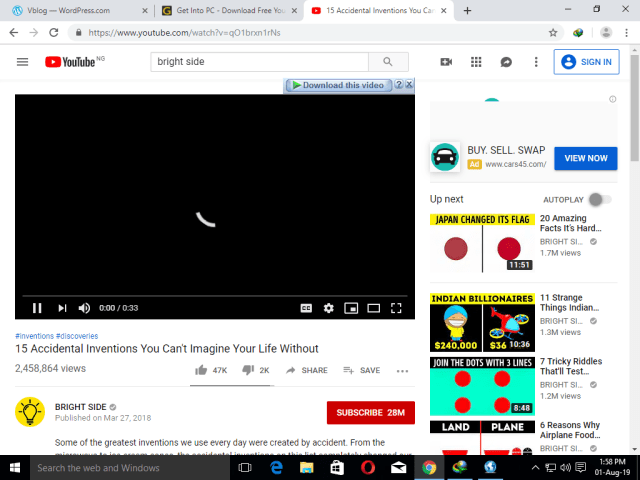
Click on the “Download this video” button.
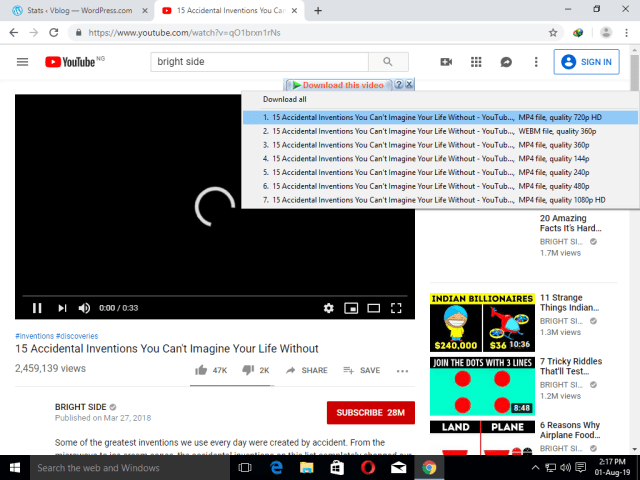
If you want to download in high definition, click on either 720 pixels or 1080 pixels

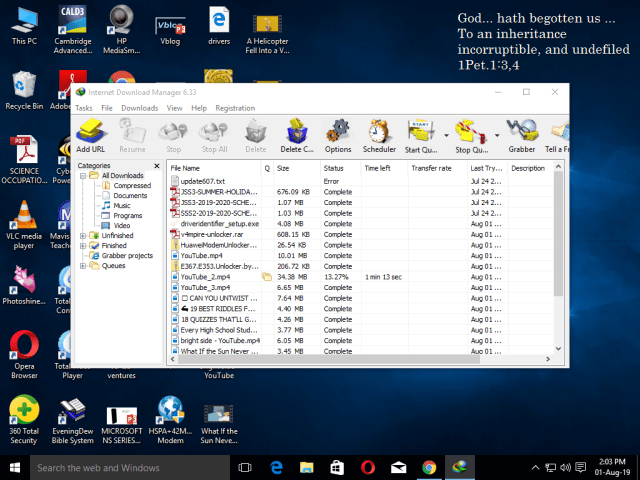
To view your downloaded video open IDM and click on downloads and click on the video you want to watch.

 Vblog
Vblog 